![CV_logo_horizontal_outline COPY.png]](https://support.cannavigia.com/hs-fs/hubfs/CV_logo_horizontal_outline%20COPY.png?height=40&name=CV_logo_horizontal_outline%20COPY.png)
Overview
Cannavigia now includes a Notifications system to help users stay informed about important updates and activities inside the platform.Soma
Notifications currently support:
- System notifications - such as new releases, platform updates, and important announcements from Cannavigia.
- In-app notifications - notifications related to actions performed inside the system. These will be implemented gradually step by step over time.
Examples of in-app notifications may include:
- Plant Batch Created
- Harvest Batch Created
- Equipment Defect Reported
Accessing Notifications
Users can access notifications in two ways:
Option 1: Notification Bell
Click the notification bell icon located in the top right corner of the navigation bar.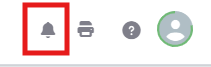
The bell icon:
-
- Displays recent notifications
- Shows an unread counter when there are unread notifications
- Allows quick access to Notification Settings
Option 2: Notifications Page
Users can also access the full Notifications page by:
-
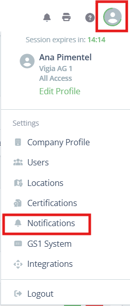
- Clicking on the user profile icon in the top right corner of the menu bar
- Clicking on Notifications
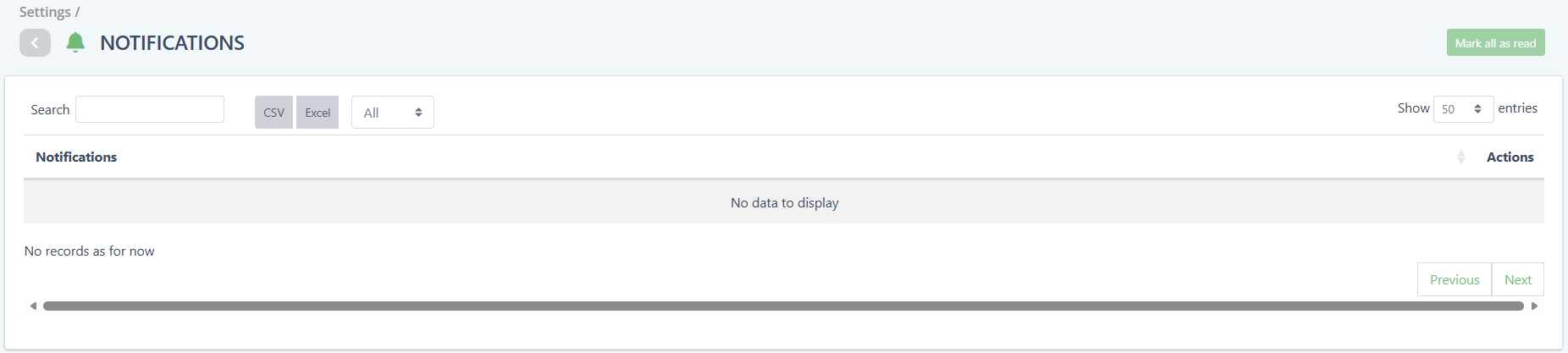
The Notifications page displays notifications from the last 30 days and includes:
-
-
Search functionality
- Filters for:
- All
- Read
- Unread
- Options to:
- Mark notifications as read
- Mark notifications as unread
- Mark all notifications as read
-
Managing Notification Status
Users can manage notifications individually:
Mark as Read
When a notification is marked as read:
-
- The notification remains visible in the list
- The unread counter is updated automatically
Mark as Unread
Users can also mark notifications as unread if they want to revisit them later.
Notification Settings
Users can control which in-app notifications they receive through the Notification Settings.
Notification Settings can be accessed from:
- The notification bell icon
- The Notifications page
Inside Notification Settings, users can:
- Turn specific notification types on or off
- Manage their personal notification preferences
Note: System notifications such as platform announcements and release updates may still be displayed even if some in-app notifications are disabled.
 Note: System notifications such as platform announcements and release updates may still be displayed even if some in-app notifications are disabled.
Future Improvements
The Notifications system is designed to expand over time. Additional notification types and workflows will continue to be introduced gradually across Cannavigia modules.