![CV_logo_horizontal_outline COPY.png]](https://support.cannavigia.com/hs-fs/hubfs/CV_logo_horizontal_outline%20COPY.png?height=40&name=CV_logo_horizontal_outline%20COPY.png)
Faster sample documentation for article batches
A sample of the corresponding article batch can now be taken directly from the article batch overview in quality control.
The system creates the sample and automatically recognizes from which batch it is.

Extended plant inventory
Seeds and seedlings
The Plant Inventory has been expanded to include seedlings and seeds. You can document the planting of seeds and record all parameters and perform the necessary actions:
- Creating seedling batch from seeds
- Documenting the germination process
- Recording germination rate
- Document whether the seeds are feminized or regular seeds
- Define the photo periodic properties of seeds (Automatic / Photo sensitive)
- Move seedlings into containers
- Create plant batches from seedling batches
- Adding seedlings to plant batches
- Seamless documentation: goods in → article batch → seedling batch
- Define plants as articles and use testing and release functionality
- Sell seedlings as articles via goods out
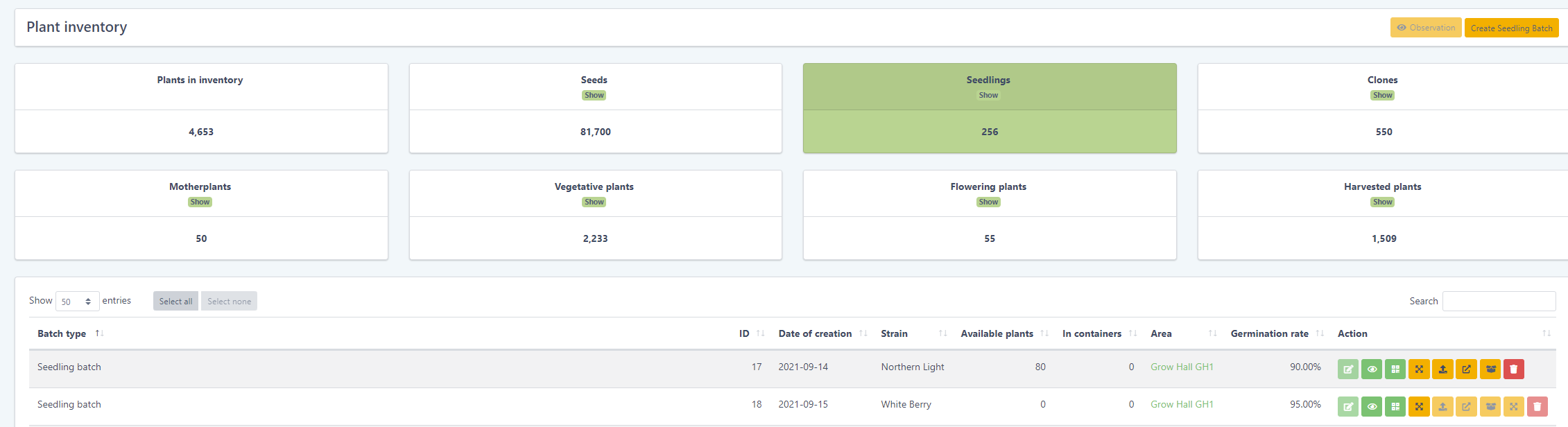
Improved planning
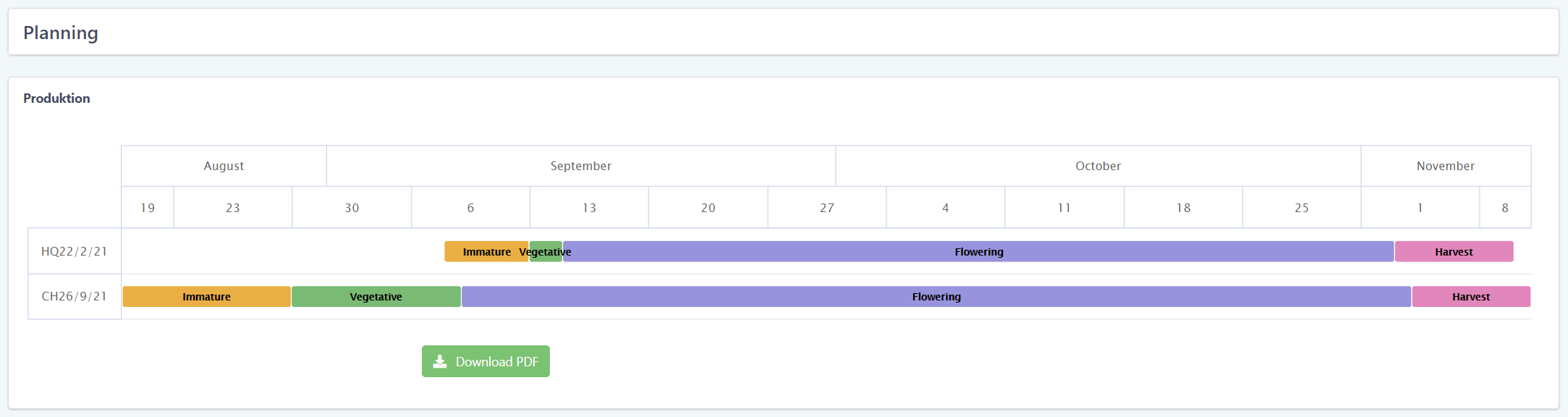
The planning tool has been completely revised graphically and now comes with a better display.

New label format
Our smallest label format with the dimensions 31,75 x 24.4mm can now be selected and printed in the print center.
Improved overview
Plant batches in areas
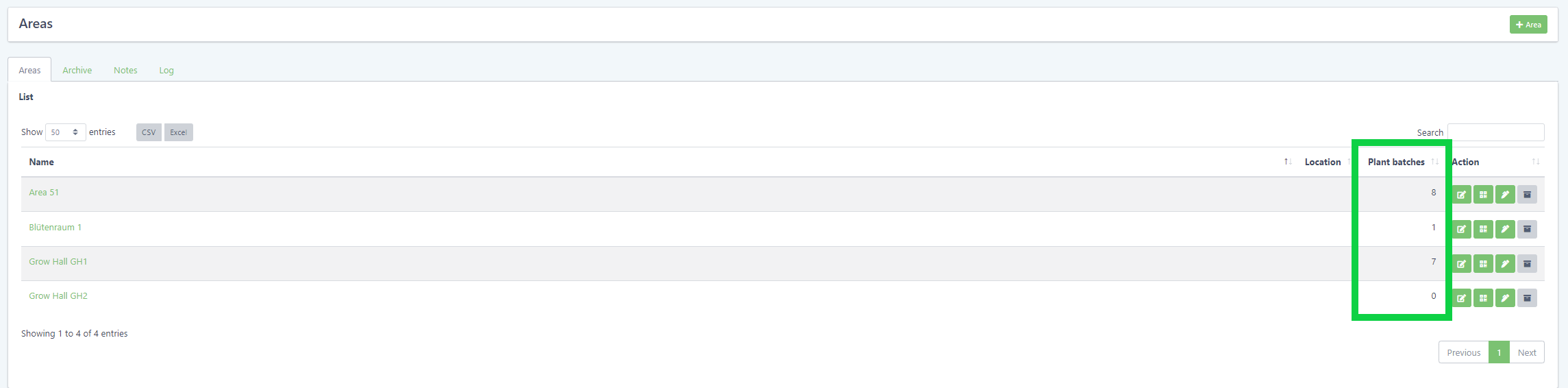
In the overview of the areas there is now an additional column where you can easily see how many plant batches are currently in this area.
Tagged plant batches in projects
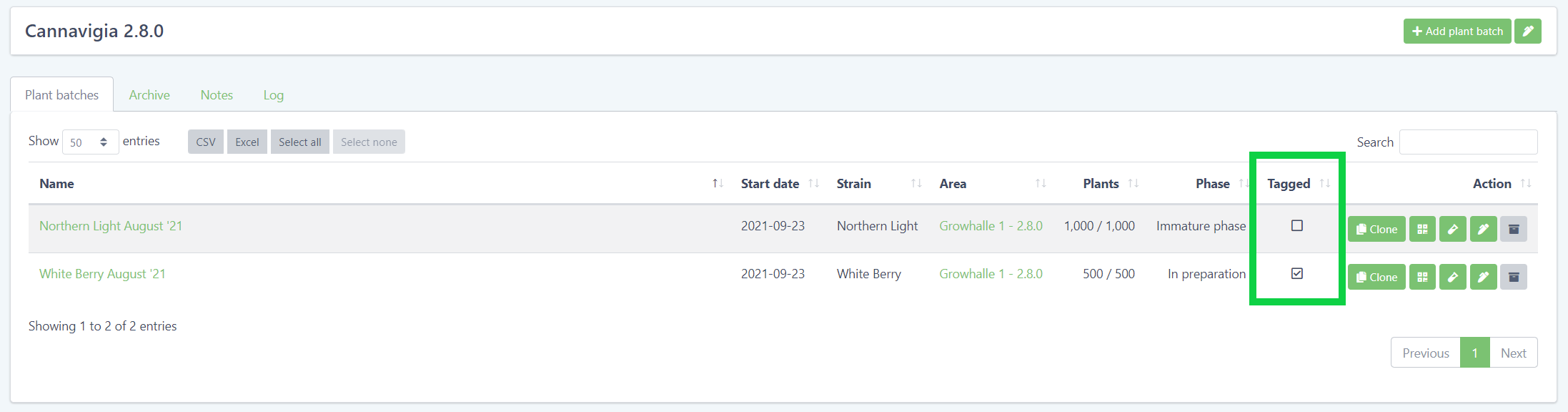
In the project view you can now see at a glance which plant batches are tagged and which are not.
Cleaning and Maintenance intervals
Cleaning intervals are now editable and can be customized.
Equipment enhancements
Equipment types
Equipments now have a type. This allows to store more detailed information depending on the type. Currently the type lamp is available and the following attributes can be documented:
- Power consumption
- Light temperature
- Photon flux density
- Operating temperature
Categories for equipment
You can now manage your equipment in a category system.
Visibility for equipment
For each equipment you can define for which tasks they can be used. This speeds up the selection of the correct equipment when documenting tasks.
Additives
Subcategories for additives
Additives now have subcategories for better differentiation and faster finding.
- Fertilizer
- Multi component
- Macro
- Micro
- Enhancer
- Pest management
- Crop protection
- Pesticides
- Fungicides
- Insecticides
- Beneficials
- Herbicides
- Nematicides
Precise quantities
Additive distribution can now be specified in the decimal point range.
Improved display of backdated outputs
It is now clearly displayed if documentation time and distribution time of documentations are different.
Drying: Movement to other areas
During the drying process the drying batch can be moved into areas. All movements are stored in the log.
New color scheme
The color scheme was revised to increase readability. Special attention was paid to the fact that all color blind people can see and read everything without problems.
Bugfixes
- Archived articles could cause duplicated article numbers
- Analysis certificate display problems
- Culture journal did not show certain images
- Print center icon not selectable
- Problems saving specifications