![CV_logo_horizontal_outline COPY.png]](https://support.cannavigia.com/hs-fs/hubfs/CV_logo_horizontal_outline%20COPY.png?height=40&name=CV_logo_horizontal_outline%20COPY.png)
User Roles • Edit waste entries • Move on phase change
We’re excited to announce the latest updates to our Cultivation Management Software. These enhancements are designed to streamline your workflow, improve usability, and ensure a better overall experience. Below are the details of the new features, improvements, and bug fixes in this release.
New Features and Enhancements
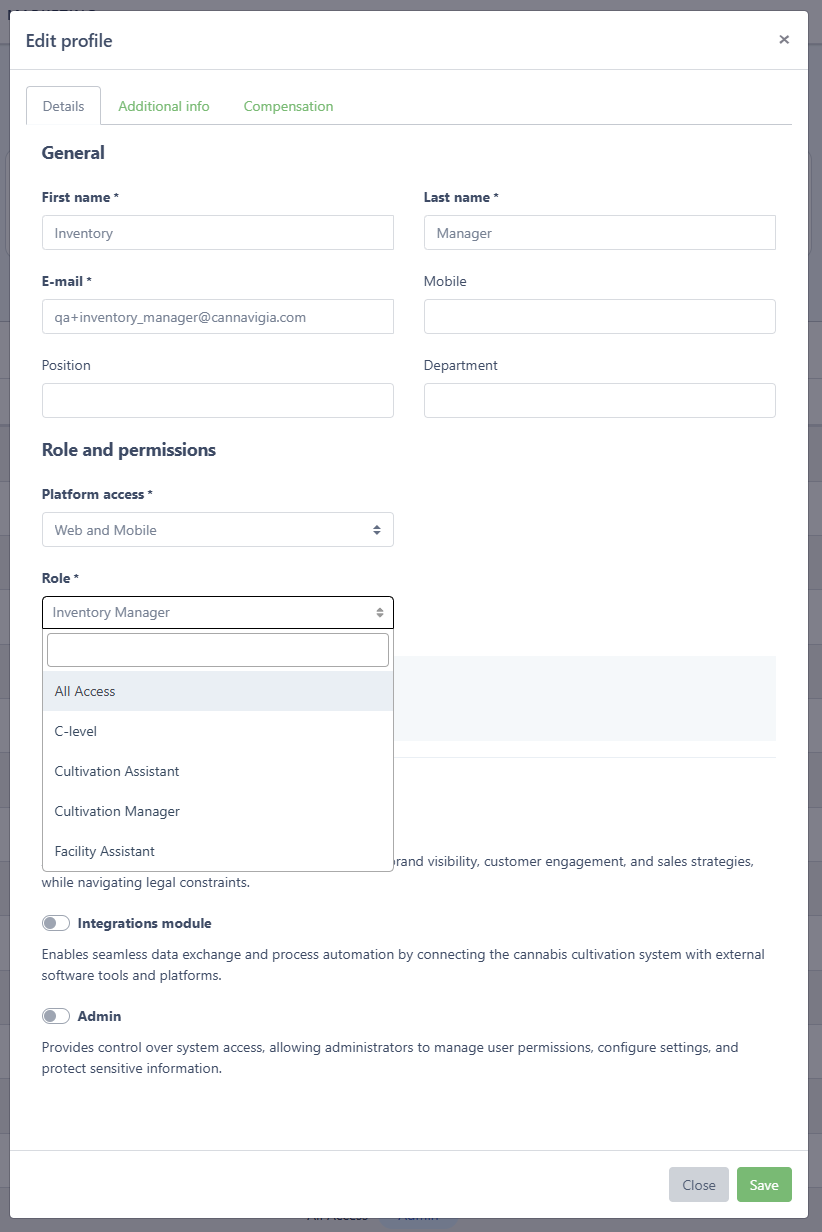
User Roles
- A wide range of predefined user roles is now available, tailored to the typical structure of cultivation companies.
- Assign roles based on user activities to ensure appropriate permissions, giving users access to what they need while restricting sensitive information.
Editing Waste Entries for Plant Batches
- Waste entries in plant batches can now be edited, archived, or restored.
- Restored waste entries will reinstate destroyed plants to their original status.

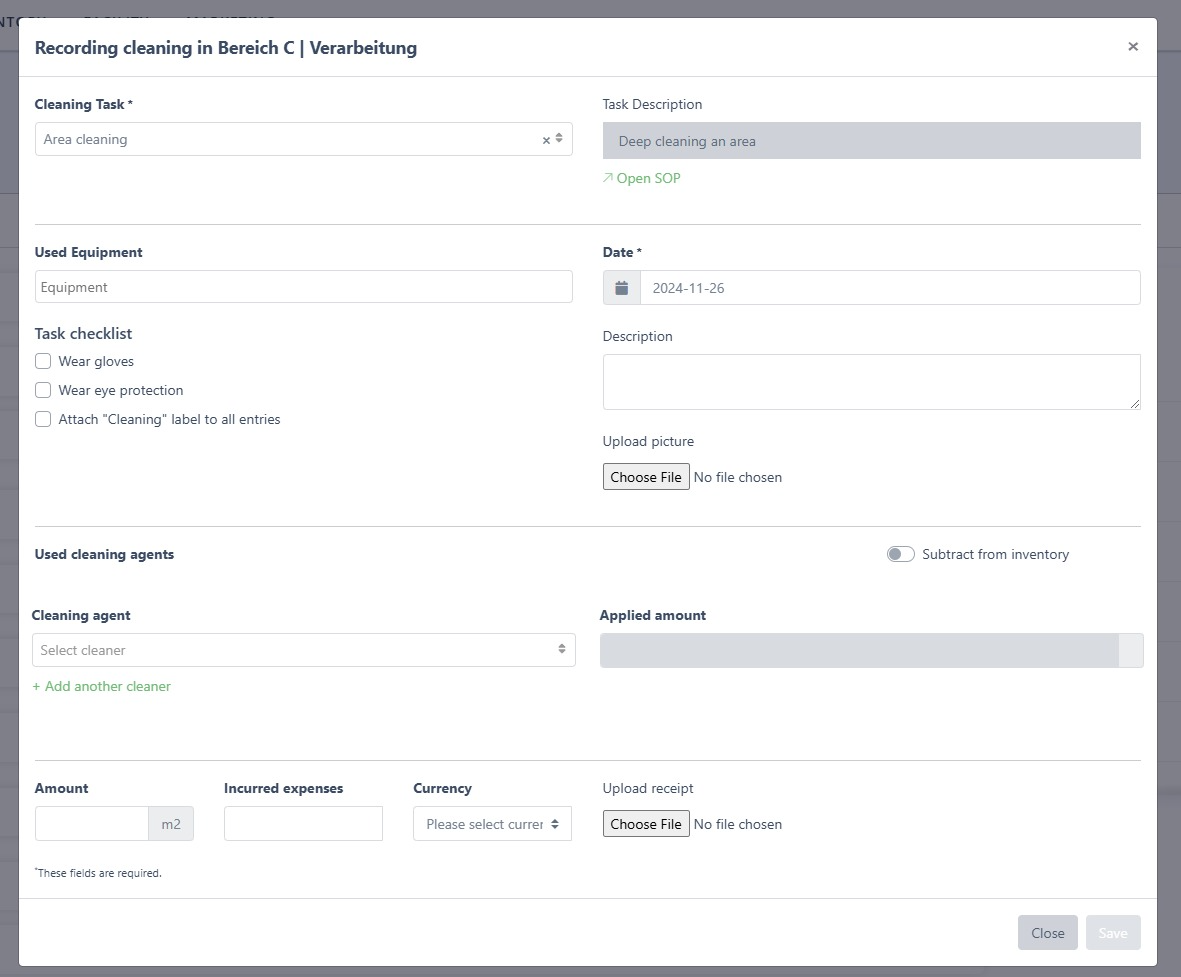
Detailed Cleaning Records & Access Cleaning SOPs Directly
- Cleaning tasks now allow you to specify which products and batches were used, providing greater detail in your records.
- When performing a cleaning task, you can now directly access the associated Standard Operating Procedure (SOP) for better compliance and efficiency.
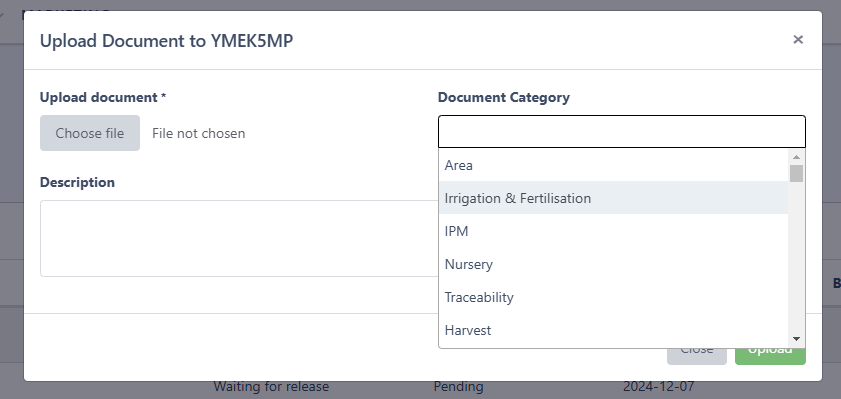
Organize Your Documents
- When uploading documents to an article batch, you can now create or select a category for easier document sorting and management.
- To add a new category, simply write it in the category input. Multiple categories can be chosen for one document
Add Weight Without Selecting Specific Plants
- During harvest, you can now add weight directly to a harvest batch without assigning it to individual plants, simplifying the process.
Improved Log Table
- Log tables now display entity names with clickable links, replacing database IDs for easier navigation.

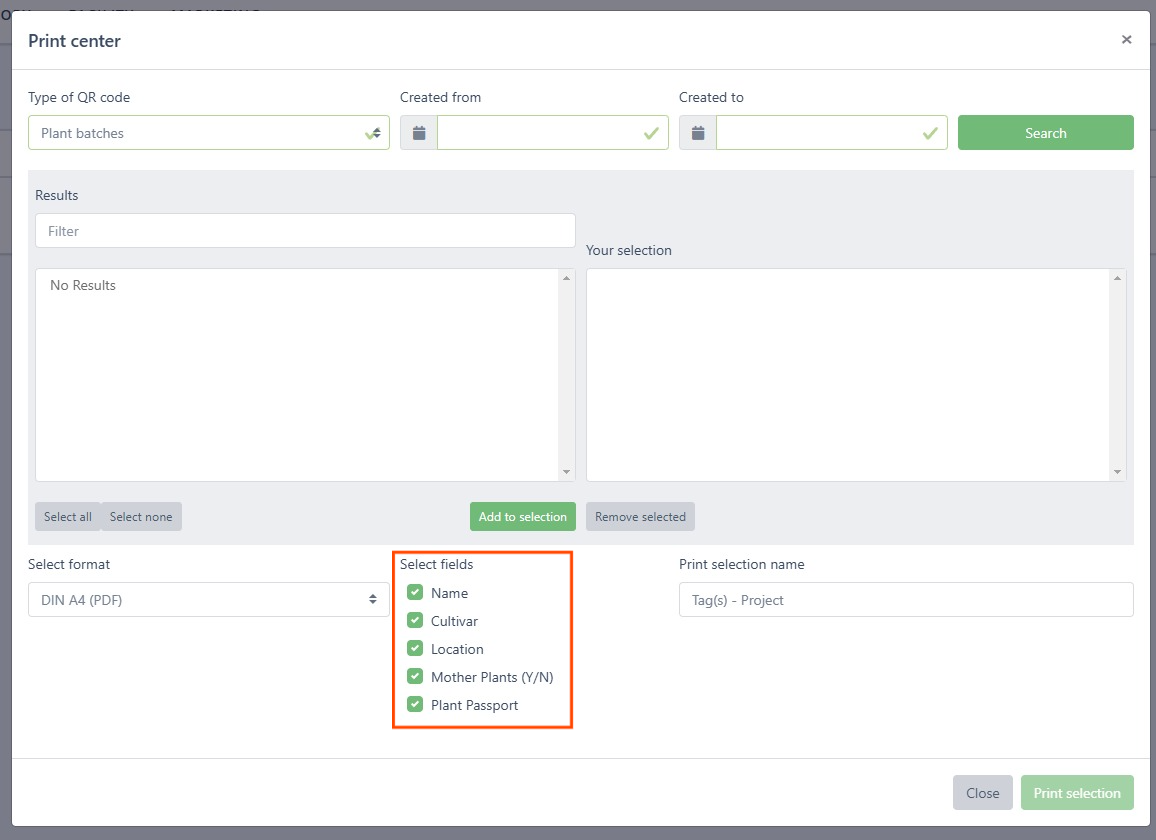
Expedited Printing
- In the Print Center, all optional information is now selected by default. Deselect unnecessary items to save time during label printing.
Sort Harvest Batches by Harvest Date
-
The harvest batch table now includes a "Harvest Date" column, enabling quick sorting by date.
Enhanced Plant Selection Workflow
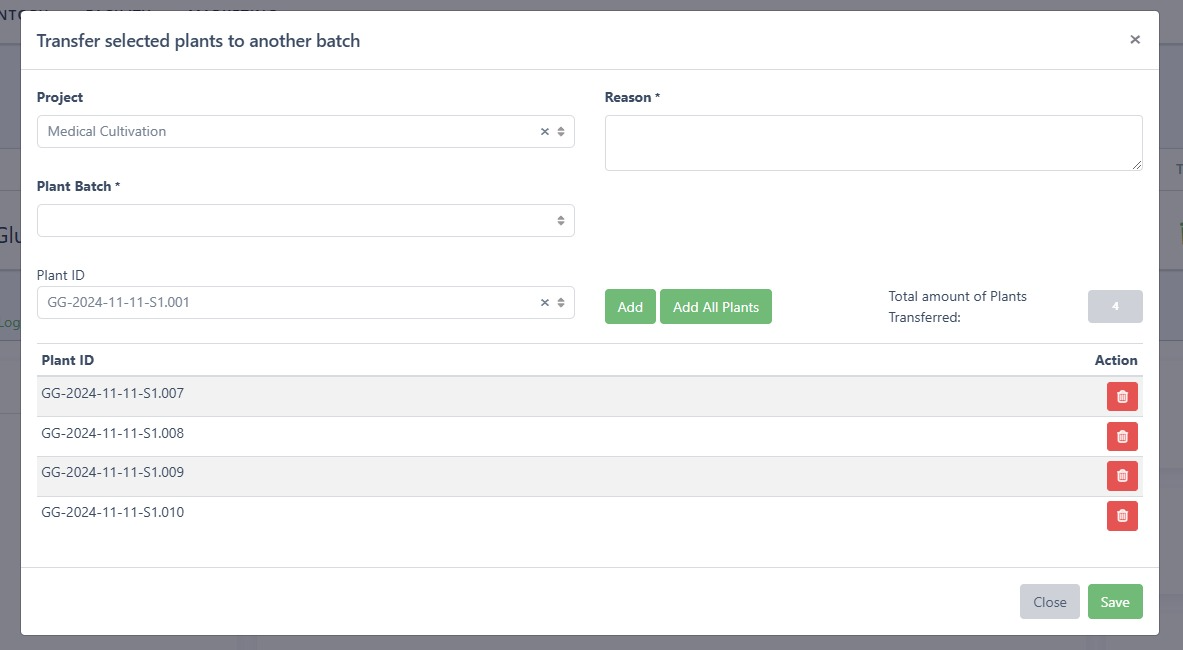
- The efficient scanning workflow for plant selection is now available for move, split, and transfer actions, ensuring smoother operations.
Simplified Action Buttons
- Multiple buttons have been consolidated into a single menu, reducing clutter and improving usability.

Plant-Specific Observations
- You can now add observations for individual plants, allowing for more detailed tracking and documentation.
Simplify Additive Application & Improved Water Tracking
- The “Deduct from Stock” option is now enabled by default when applying additives, saving time during batch selection.
- You can now log water usage for individual additive applications (previously limited to recipes).
- The additives table in the plant batch view displays the applied water amount for easier monitoring.
Recipe Additive Correlation
- The additives table now includes a "Recipe" column, showing the connection between additives and their corresponding recipes for better visualization.

Select All Entries Across Pages
- The "Select All" button in tables now selects all entries, including those not visible on the current page, for quicker bulk actions.
Color-Coded Cultivars
- Cultivars are now color-coded across the system:
- Purple for narcotic cultivars.
- Green for low-THC cultivars.
- Click the cultivar name to view or edit its details.

Tablet Compatibility
- The top navigation now requires a click (instead of hover), improving out-of-the-box compatibility with tablets.
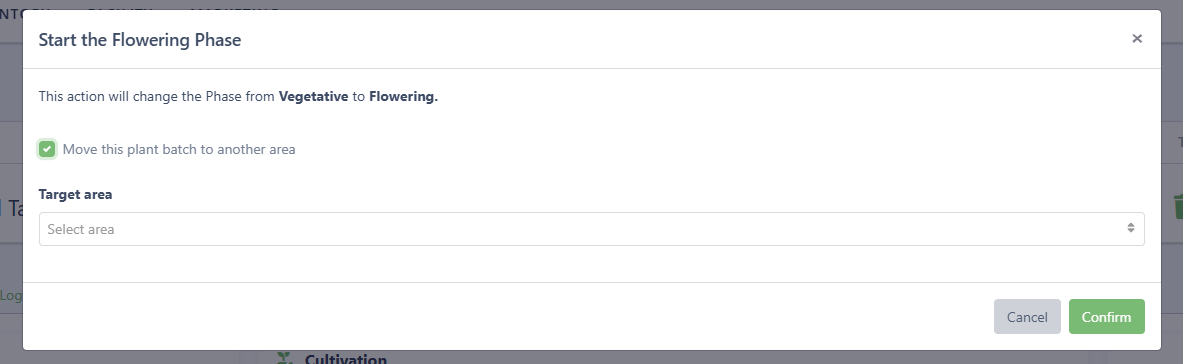
Change Phase and Move Plant Batch in One Step
- When changing a plant batch’s phase, an additional confirmation step allows you to move the batch to a new area, ensuring smoother workflows and reducing errors.
Quick Navigation via Notes Table
- The notes table now includes links to the corresponding entities, enabling faster navigation.

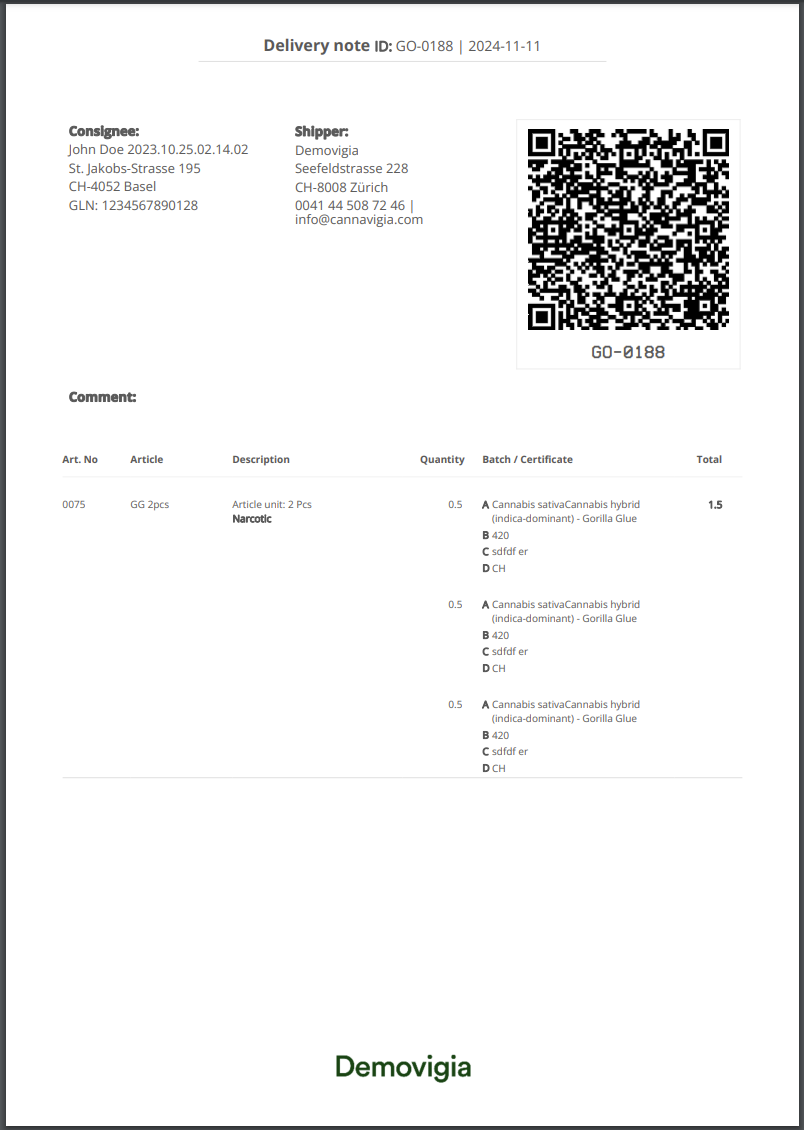
Updated Delivery Note Design
- Delivery notes have been modernized to optimize space for key information and minimize excess logos.
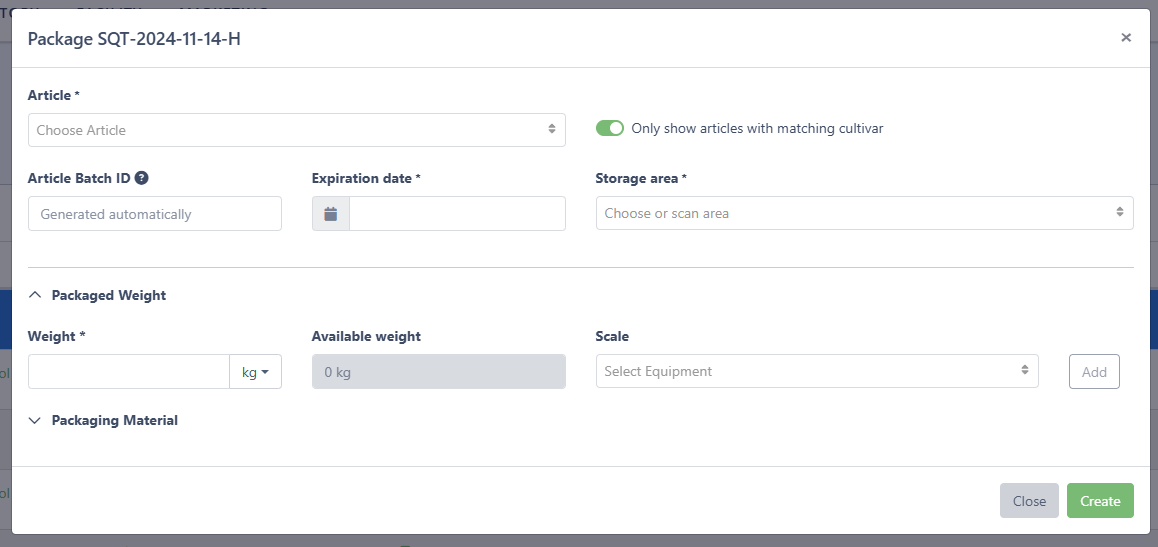
Simplified Packaging Interface
- The harvest batch packaging interface is cleaner, with advanced settings (e.g., packaging materials) now hidden in a dropdown.
Jira Integration Removed
- The “Connect Jira” feature has been removed as it is no longer in use.
General
- Added parameters and waste to the cultivation report
- Added date validation for stock adjustments to prevent future-dated entries.
- Updated the 101 x 76 mm label format for better readability.
- Removed the outdated Primary Processing section.
For more information, detailed instructions, and support, please refer to the updated user documentation available on https://info.cannavigia.com/
Thank you for choosing our Cultivation Management Software. We are committed to continually improving your experience and providing innovative solutions for your cultivation needs.