![CV_logo_horizontal_outline COPY.png]](https://support.cannavigia.com/hs-fs/hubfs/CV_logo_horizontal_outline%20COPY.png?height=40&name=CV_logo_horizontal_outline%20COPY.png)
Below you will find the step-by-step on how to correctly set up the integration of your IoT device with Cannavigia's software.
Integration Setup
Creating your API Token
-
Go to Settings → Integrations.
.png?inst-v=f739ad8b-4048-4680-ab47-e776dd1d79e2)
-
Manage API Tokens
On the Integration page, click "Manage API Tokens" to view all generated API tokens for your account.%20(5).png?inst-v=f739ad8b-4048-4680-ab47-e776dd1d79e2)
-
Generate a New Token
Create a new token and ensure to copy it and save it somewhere secure, as it will be hidden for security purposes.a. Click on the button Add token
.png?inst-v=f739ad8b-4048-4680-ab47-e776dd1d79e2)
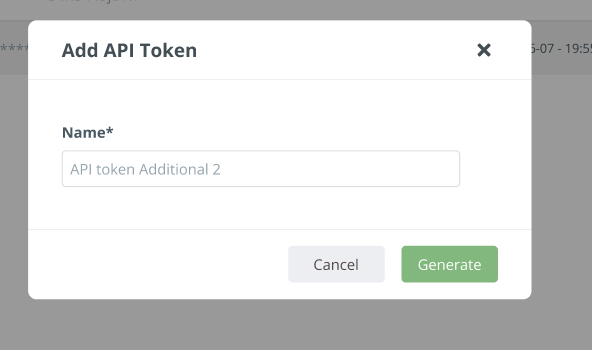
b. Define the name and click on the “Generate” button
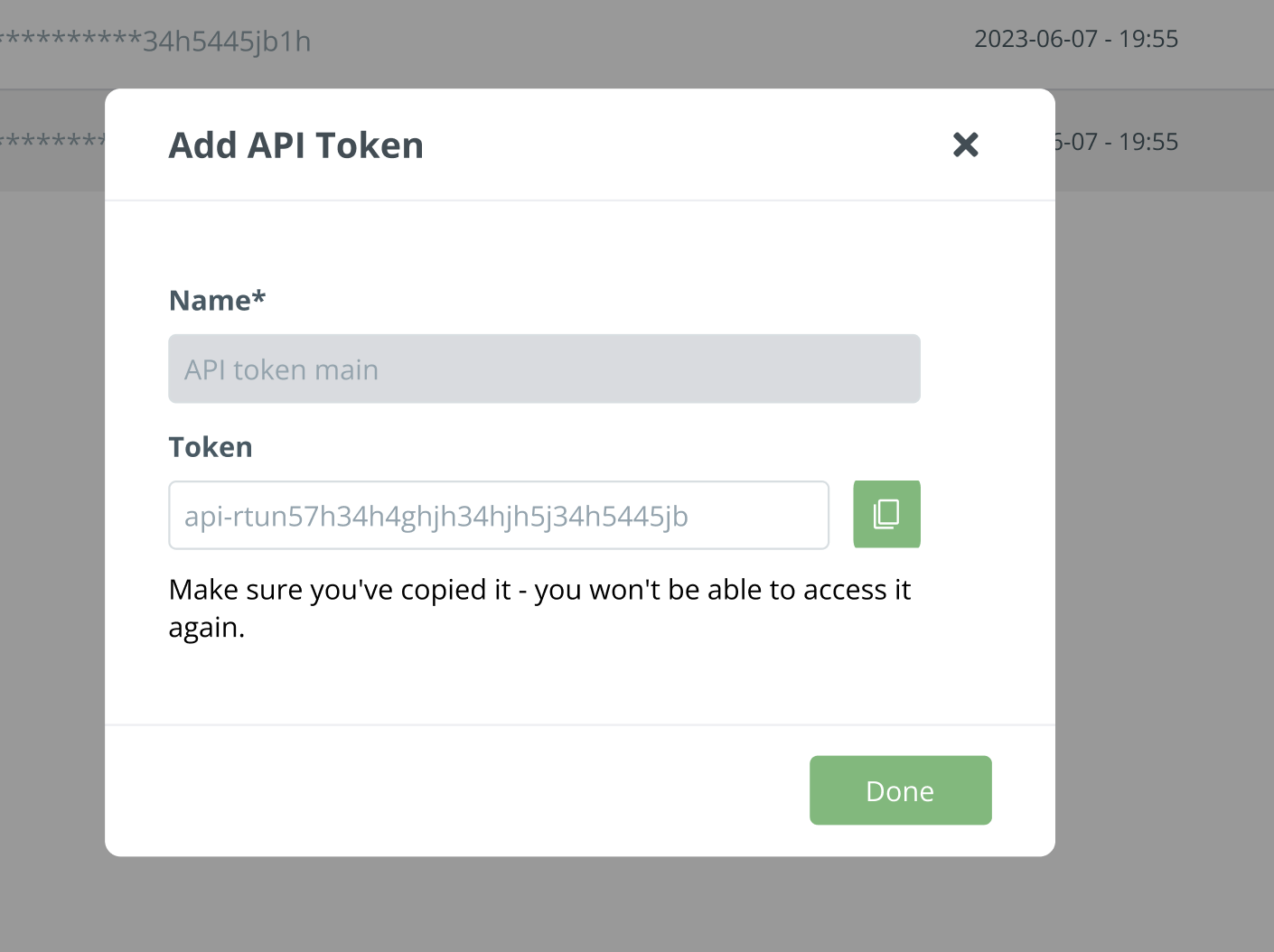
c. When the token is generated, copy it to the secure place, as it won’t be visible when you close the modal window. Click done to proceed.
Setting up the devices in Cannavigia
-
Add New Devices
Create new devices under Facility → IoT Devices by going to the page and clicking "Add New Device.".png?inst-v=f739ad8b-4048-4680-ab47-e776dd1d79e2)
-
Setup the Device and associated Sensors
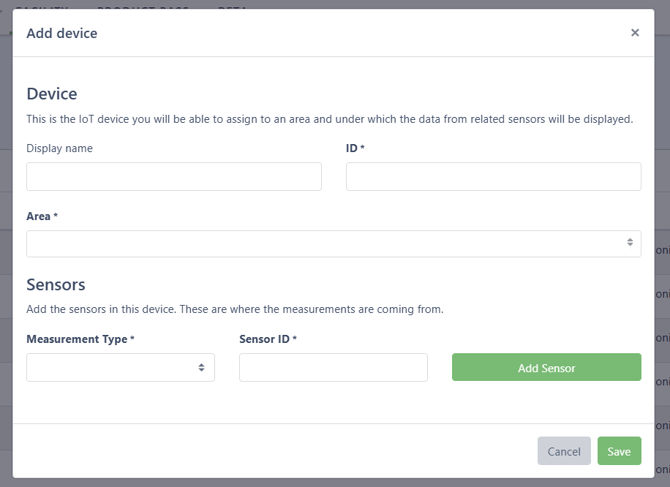
Enter the device display name, device ID, and the area where the device is located. Then add each sensor on the device by selecting its measurement type and sensor ID.
Each sensor ID must be unique. The sensor ID is the identifier where data sent to ConnectAPI is stored. This setup supports any IoT device configuration.
-
Push data
Visit our API documentation for detailed information on available endpoints and general rules on using the Cannavigia Connect API.
It can take several minutes for the data to appear and it needs at least 2 data points to draw a graph.

Cannavigia offers the Connect API for seamless integrations, but the development of the solution to integrate physical devices or software is the responsibility of the user or their chosen development team. For assistance or guidance, please contact our Customer Success Managers at support@cannavigia.com