![CV_logo_horizontal_outline COPY.png]](https://support.cannavigia.com/hs-fs/hubfs/CV_logo_horizontal_outline%20COPY.png?height=40&name=CV_logo_horizontal_outline%20COPY.png)
It may happen that when scanning the QR code on the student ID card, an error message appears:
Something has gone wrong. Possible reasons:
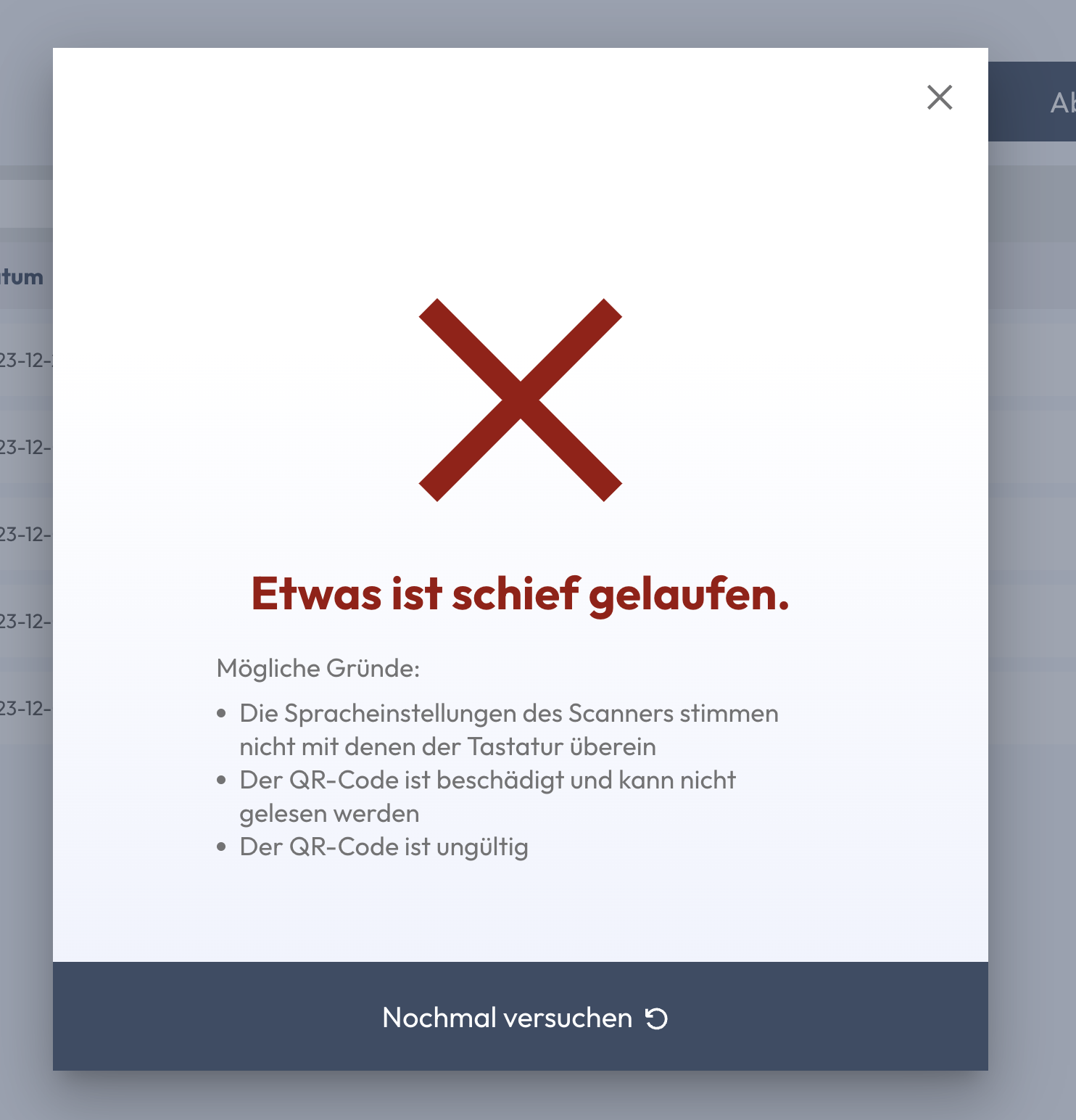
ℹ️ In addition, it may be due to cookies. Please first clear the browser cache and log in again.
Scanner language settings
If the language settings of the scanner differ from the language settings of the keyboard, the QR code on the student ID card will not be read correctly and an error message will appear. Please make sure that the language settings match.
To check if the language settings match:
-
- Open a blank Word document, or a new browser tab.
- Scan the student ID card → the code will be read.
- The first 5 digits are the following: F:V2$
If the first 5 digits look different, the language settings do not match and must be adjusted accordingly.
Subject is not eligible
In individual pilot projects (e.g. Züri Can), participants can only obtain study cannabis at certain reference points. If the student ID card is scanned at a reference point where the participant is not entitled to receive it, an error message appears.
Illegible QR code
If the code is damaged or the print quality is insufficient, it cannot be read correctly and the error message appears. Contact the project management to get a new code.
No valid QR code
The participant has left the project or the scanned QR code was not created by Cannavigia and is therefore not a valid QR code.